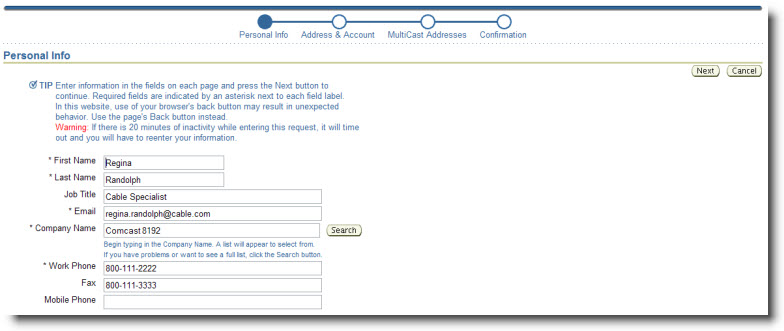
On the Personal Info screen as shown
below, complete all required fields
which are indicated by an asterisk.
Other fields may be completed as
desired. Notice the information on how
to select Company Name below. After
all entries have been made, click the
Next button to continue.
To select the Company Name, begin
typing in the field. A list of names
that match your entry will appear.
You can continue typing in the field
to narrow down the list. Use your
mouse to select a name from the list.

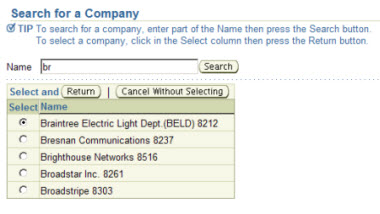
Another way to select the company
name is to click the Search button
next to the field. A pop-up list of all
names will appear. As shown below, you can search in the pop-up list by entering
the first part of the name
then clicking the Search button. To
select a name, click in the Select column
for that row then click the Return button.